Setup
How to open the Power BI Insights Connector in Business Central
Learn where to find and access the Power BI Insights Connector in Microsoft Dynamics 365 Business Central

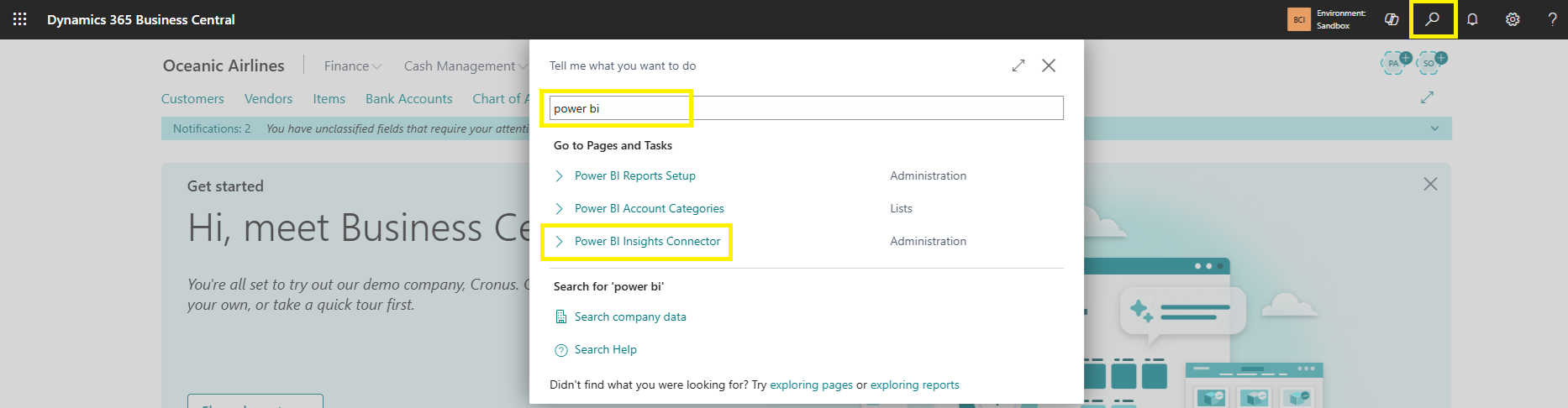
Use the Search (Tell me) bar at the top right.
Start typing Power BI Insights Connector.
Select Power BI Insights Connector from the results.
The connector page will open