Dynamic Budgets Attributes Setup
Add business meaning to every budget line using attributes and dimensions, then analyse them instantly in Power BI.

Dynamic Budget Attributes are advanced reporting tags designed specifically to support and extend the Dynamic Budgets ISV solution for Microsoft Dynamics 365 Business Central (https://www.dynamicbudgets.com/)
They enhance traditional budgets by associating each budget line with:
A G/L Account, and
One or more Business Central financial dimensions (e.g. Department, Project, Region)
This allows Dynamic Budgets to move far beyond static, account-only budgeting.
Finance Insights not only supports these custom Dynamic Budget attributes, but fully integrates them into the reporting model, so you can:
Perform budget vs actual analysis by any attribute you define
Slice and filter financial results by business-specific tags
Gain clarity into what truly drives performance
Build highly analytical reports directly in Power BI
By leveraging these rich attributes, finance teams gain precision, flexibility, and insight across complex organisational structures.
What are Budget Attributes in practice?
A Budget Attribute can represent anything meaningful to your business, such as:
Revenue Type
Cost Behaviour
Budget Scenario
Strategic Initiative
Product Category
Customer Segment
Market Type
Investment Theme
You can configure up to 16 custom attributes, fully tailored to your internal reporting model.
This means your budgets finally reflect how the business actually thinks and operates, not just how the chart of accounts is structured.
Setting up Dynamic Budget Attributes in Business Central
The setup consists of three simple components inside Business Central: Attributes, Attributes Setup and Dimension Setup
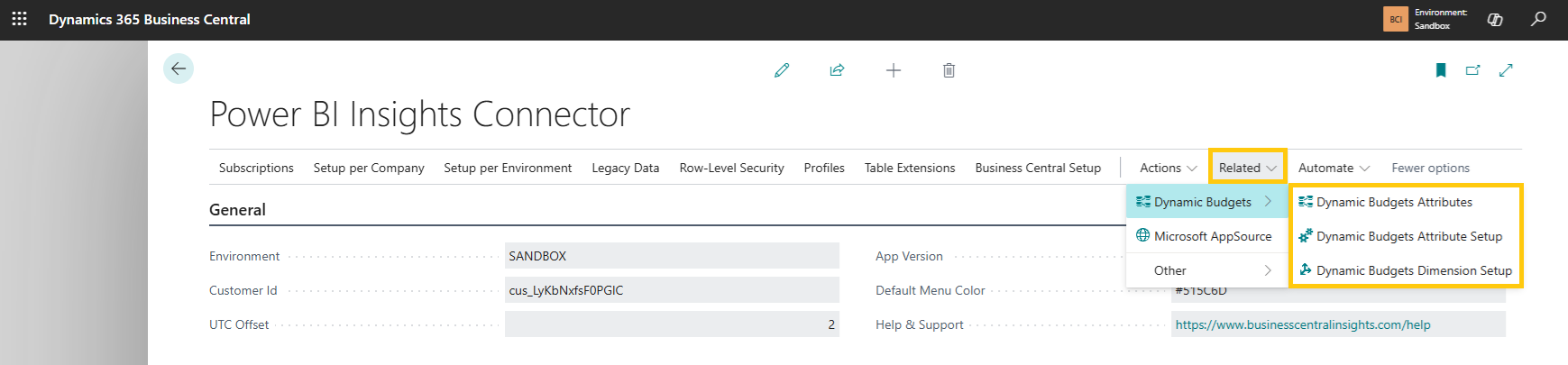
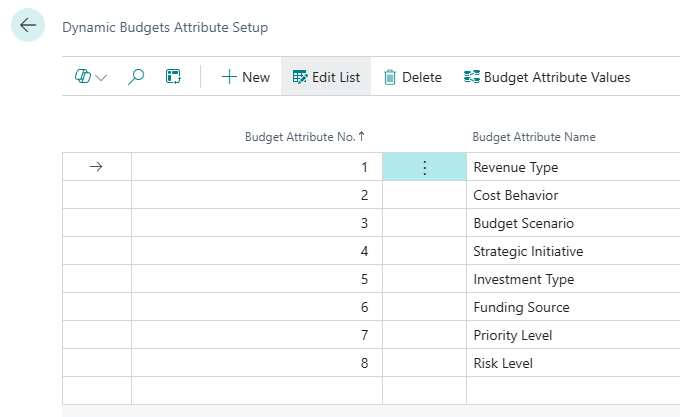
1. Budget Attributes Setup
Here you define which attributes you want to use.
You can configure up to 16 attributes
Each attribute represents a column available for analysis in Power BI
Examples: Revenue Type, Cost Behaviour, Budget Scenario, Strategic Initiative, etc.
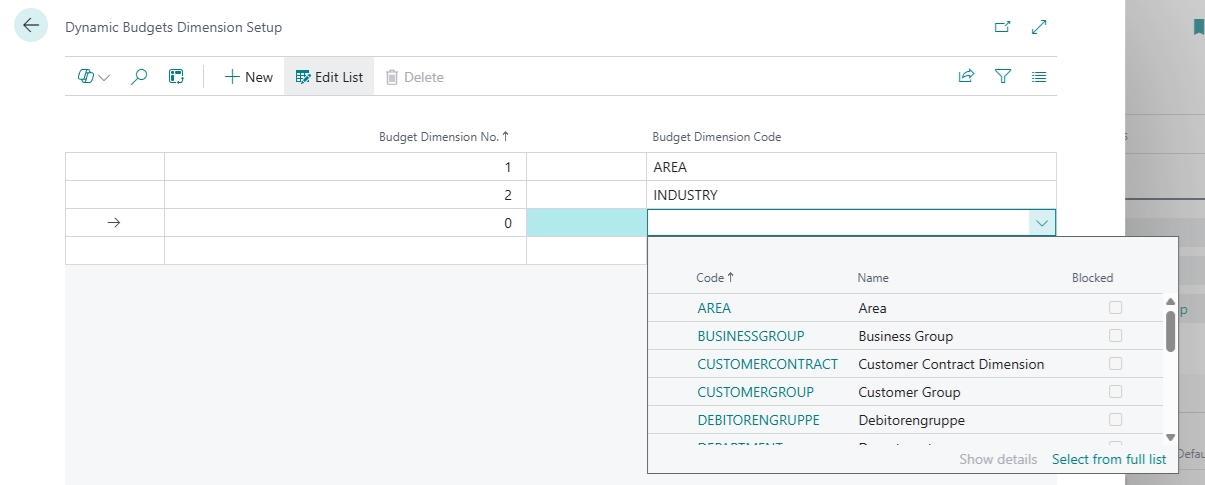
2. Dimension Setup
This setup defines which financial dimensions form the unique key of a budget line.
Supports up to 6 dimensions
Fully aligned with standard Business Central G/L Budget capabilities (2 global + 4 budget dimensions)
Ensures full compatibility with native budgeting logic
This determines how granular your Dynamic Budgets can be across departments, projects, cost centres, regions, and more.
3. Dynamic Budget Attributes Table
This table represents the actual data model used for reporting.
Each record is uniquely defined by:
G/L Account
Dimension 1–6 (via Dimension Set ID)
On top of that, you assign your custom attributes:
Revenue Type
Cost Behaviour
Budget Scenario
Strategic Initiative
… up to 16 attributes total
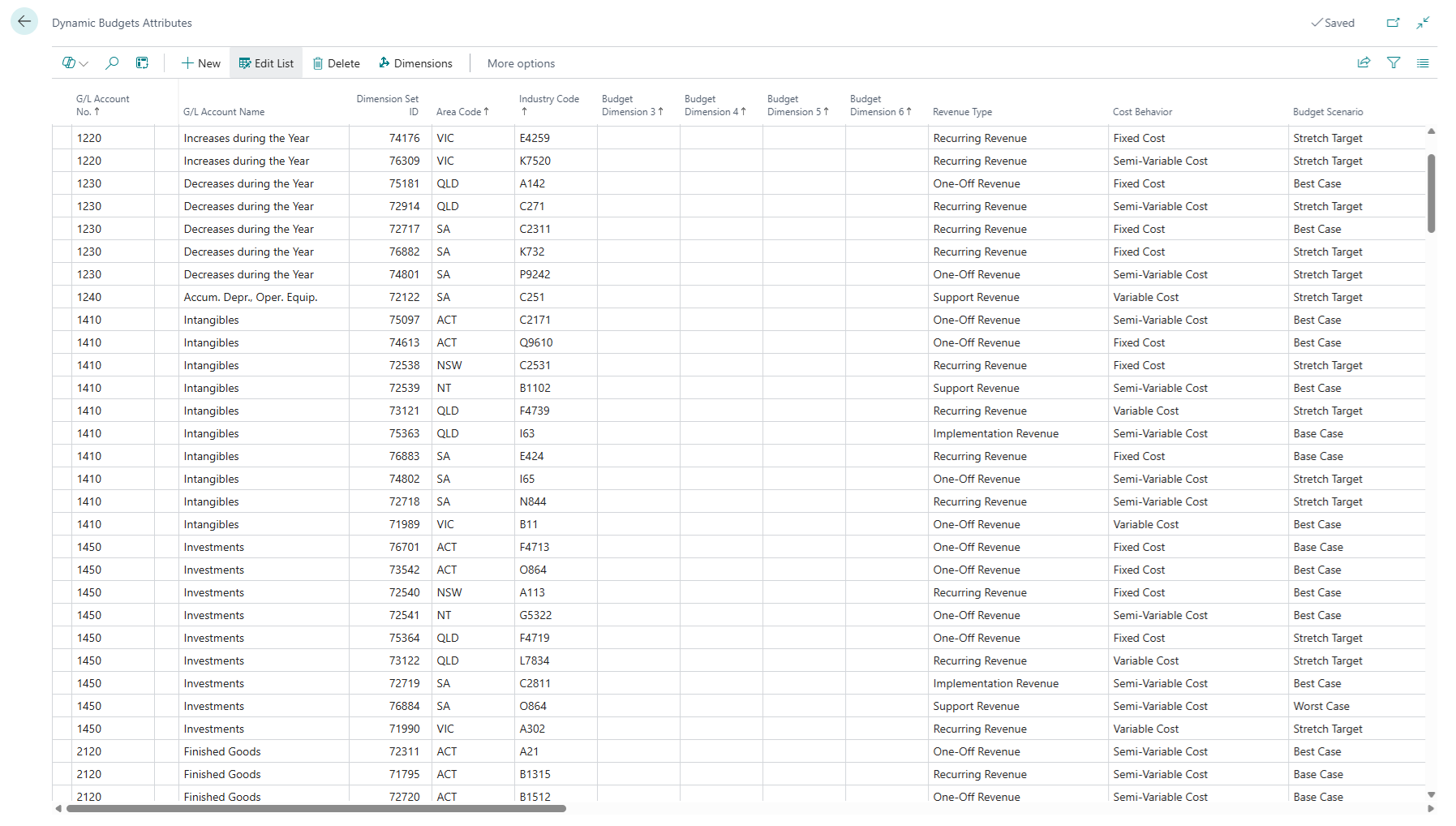
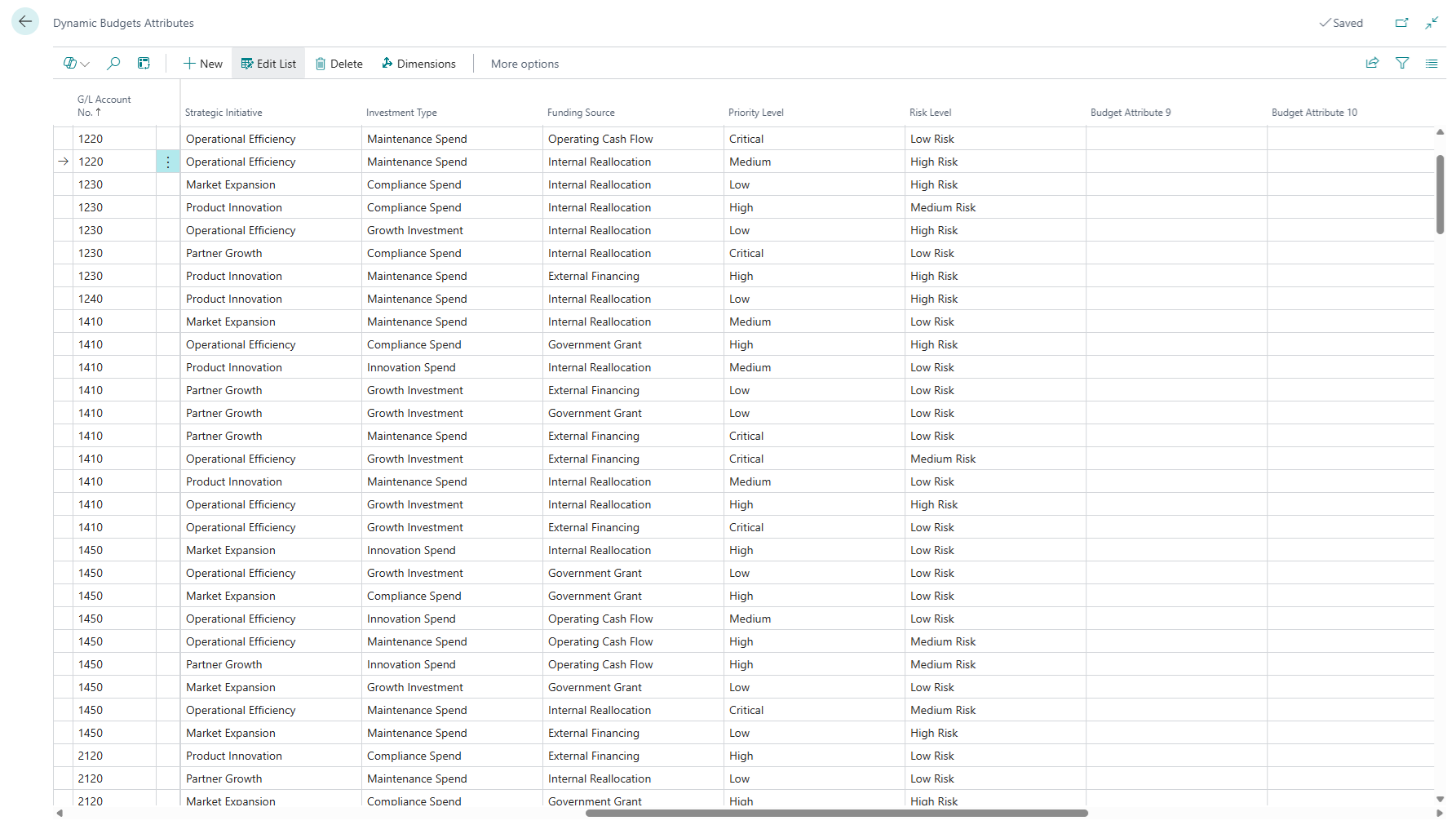
Note: In real-world use, this data is typically populated automatically via Dynamics Budgets budgeting tool or integrations, not manually.
How it appears in Power BI
Once configured, all Budget Attributes become native fields in your reporting model.
Attribute-based analysis
You can instantly analyse:
Budget vs Actual by Revenue Type
Variance by Cost Behaviour
Performance by Strategic Initiative
Scenarios side-by-side
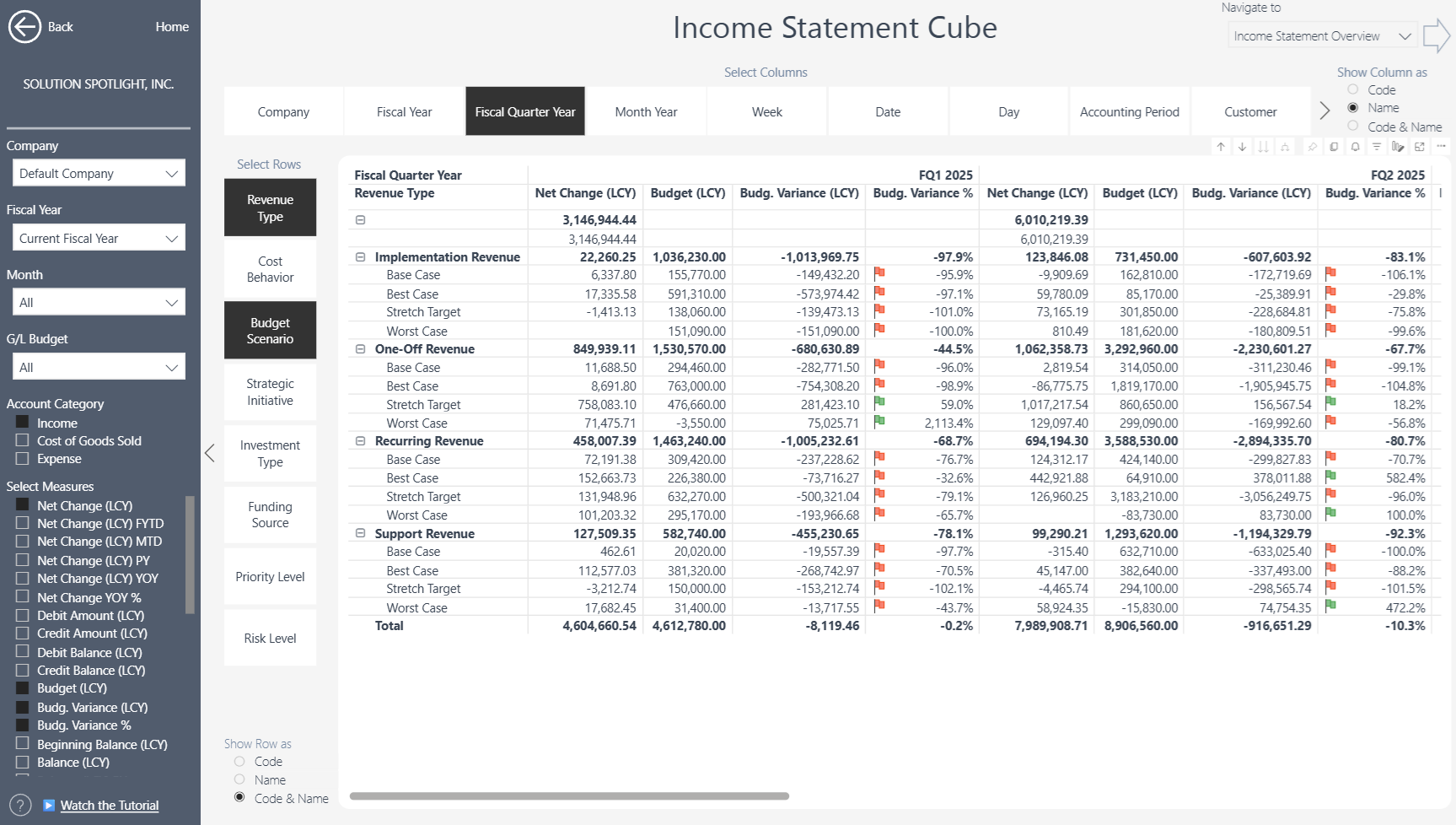
Multi-dimensional, multi-attribute analysis
Because attributes behave like real model dimensions, you can combine them:
Revenue Type × Cost Behaviour
Attribute + Department
Attribute + Project
Attribute + Account drill-down
This unlocks true multi-dimensional financial analysis without complexity for end users.
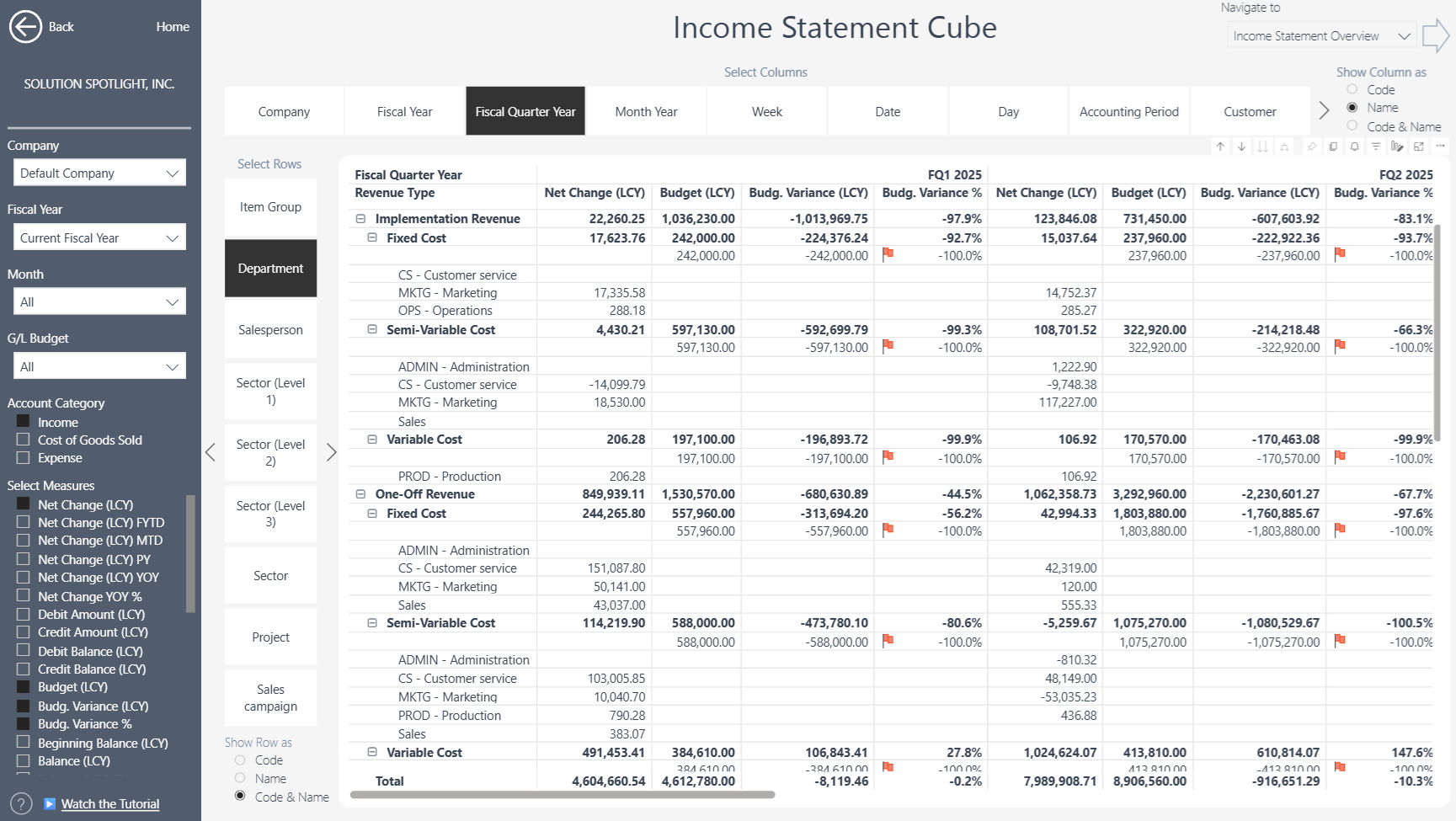
Designed for modern finance teams
Dynamic Budget Attributes enable:
Smarter budgeting structures
Better stakeholder reporting
Deeper variance explanations
Faster decision-making
Cleaner Power BI models
Strong alignment between finance and operations
And because everything is built directly on Business Central and Power BI, governance and consistency remain intact.
Want to see this in action?
You can also explore how this works inside our reporting architecture:
👉 Explore our Cubes & Financial Reporting approach: https://businesscentralinsights.com/tutorials
👉 Book a demo: https://businesscentralinsights.com/demo