How Much Cash Is Sitting on Your Shelves? Understanding Days of Inventory in Business Central

The warehouse is full. Purchasing is still placing orders. Finance wants to know why so much cash remains tied up in stock. Reviewing days of inventory in Business Central helps reveal where to investigate.
Days of inventory in Business Central helps connect purchasing, operations and finance. It relates the stock you hold to the rate at which it is being sold or used. That gives purchasing, operations and finance a shared starting point for reviewing excess stock and potential shortages.
Business Central Insights supports this review through its Inventory Insights app. Its Power BI reports bring inventory value, stock movements, ageing and availability into view, helping teams investigate excess stock and make informed purchasing decisions.
Our article on Business Central financial ratios introduced days sales of inventory and cash conversion. Here, the focus is the practical follow-up: finding the items behind the figure and deciding where purchasing or stock decisions need attention.
What days of inventory in Business Central tells you
A stock balance tells you what is on hand. Cover puts that balance in context. The same investment may support a few weeks of demand for one item and many months for another.
As an illustrative example, £30,000 of stock divided by average daily outflow cost of £100 gives 300 days of inventory. At £500 a day, the same stock value represents 60 days. Keep the numerator and denominator on a consistent cost basis.
Neither result tells you automatically whether to buy, stop buying or clear the item. You still need to consider lead time, seasonality, service obligations and upcoming demand. The ratio helps identify which questions deserve attention first.
Compare days of inventory in Business Central by item and location
A company-wide figure can look reasonable while hiding expensive stock that barely moves. Fast-selling products may offset slow lines in the average, leaving purchasing and finance with very different impressions.
Review item categories and locations, then work down to the material items. Place inventory value beside days of cover so the team can distinguish a small exception from a substantial commitment of working capital.
Use the same period and calculation method when comparing results. A large receipt near month end can affect a closing stock balance differently from an average balance. Record the basis rather than assuming every figure with the same name is comparable.
Measure the demand that actually uses the stock
A component may support production even when it is never sold separately. Looking only at direct sales can make it appear inactive. Conversely, moving an item between warehouses does not establish that customers want it.
The Days of Inventory report from Business Central Insights offers sales, production consumption, assembly consumption and combined outflow options. Transfers and negative adjustments do not count as demand. Choose the basis that reflects the item’s role before interpreting the result.
The management question should determine which activity you review. Microsoft partner Advantage’s article on working capital management in Business Central explains how excess and slow-moving stock ties up cash, and why stock turnover should inform purchasing decisions.
Separate excess stock from a genuine shortage
High cover needs a purchasing conversation
An item may still sell regularly while the business holds far more than it needs. Before discounting it, check whether pausing or reducing replenishment would allow normal demand to bring the balance down.
Review outstanding purchase commitments as well. Clearing stock achieves little if another delivery of the same item arrives next week. Check minimum order quantities, reorder settings and the assumptions behind the original order.
Low cover needs a service and supply conversation
Low cover can signal a shortage, but its urgency depends on the item. Compare it with supplier lead times, confirmed receipts and customer or production commitments. A critical component deserves different treatment from an easily sourced consumable.
ICAEW’s guidance on cash flow forecasts and inventory sets out the trade-off: understocking can leave demand unmet, while overstocking ties up cash. Review expected receipts and requirements before changing a replenishment decision.
Treat blanks and old stock as review signals
A blank days figure does not automatically mean an item is obsolete. It may have no qualifying outflow on the selected basis or during the selected period. Check another relevant basis and the longer-term pattern before deciding.
Age and demand are different too. Stock received recently can have weak demand, while older stock may support seasonal sales or service commitments. Ask whether the business still needs the item and whether the quantity is justified.
Avoid a blanket instruction to reduce everything above a single threshold. The aim is to improve the mix of stock while protecting customer service, rather than achieving an attractive average at any cost.
What this looks like in practice at Stokes Seeds
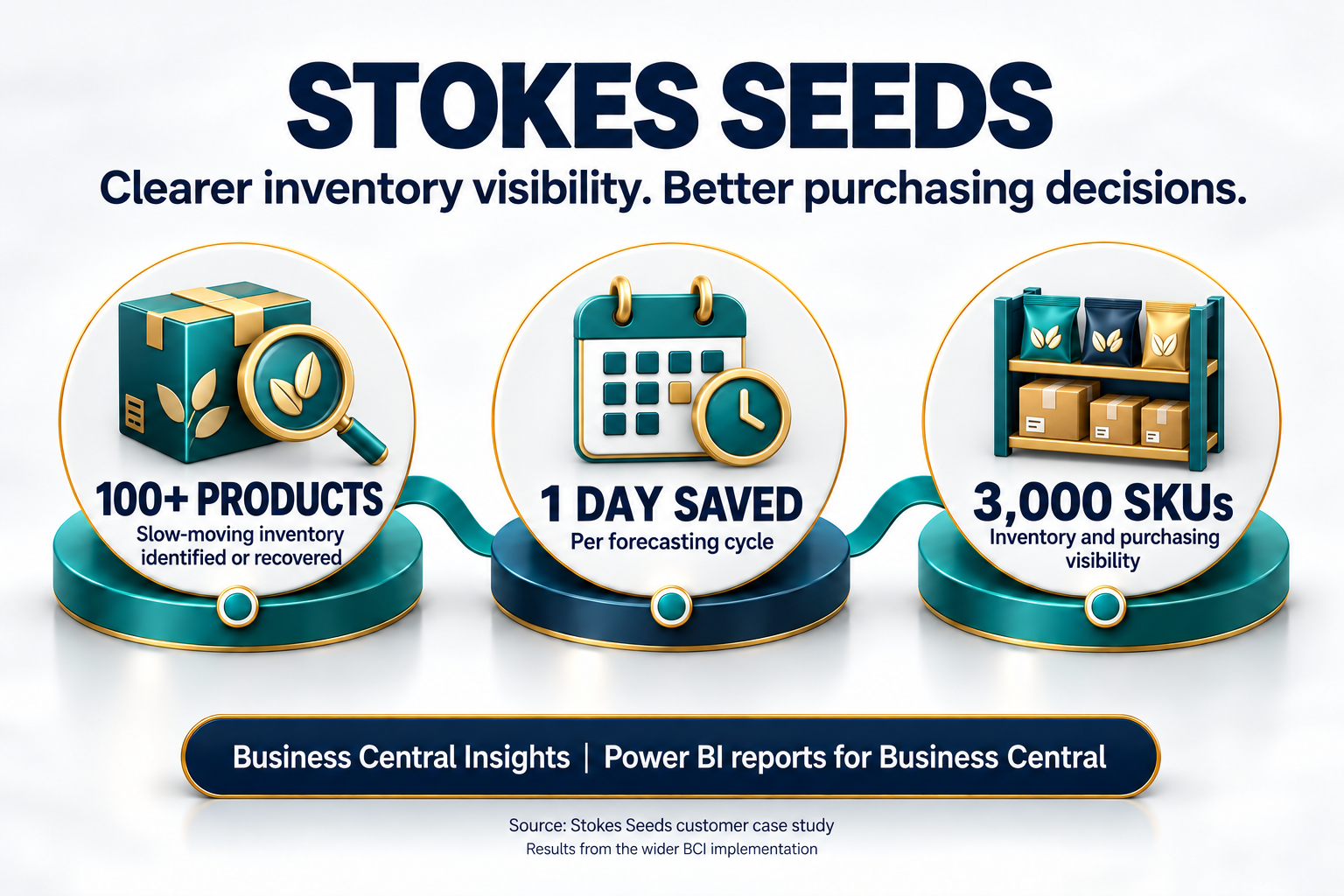 Stokes Seeds’ customer story shows why timely visibility matters when managing around 3,000 SKUs and purchasing decisions made years ahead. Its wider use of Business Central Insights helped the team identify or recover more than 100 slow-moving products and find opportunities to sell stock that might otherwise have been discarded.
That result comes from Stokes Seeds' wider use of Business Central Insights. The lesson is relevant here: identifying an exception creates value when purchasing and sales can act on it while options remain.
Make days of inventory in Business Central part of your stock review
Start with the highest-value exceptions and bring the relevant people into the conversation. For each material item, agree what the next review should demonstrate.
Confirm future demand and the reason for holding the stock.
Check open purchase orders and replenishment settings.
Assign an action such as adjusting purchases, transferring stock where demand exists or reviewing a sales opportunity.
Record an owner and review date, then track the remaining exposure.
Distinguish stock flagged for review from cash actually recovered. A lower book value, a completed sale and an avoided purchase are different outcomes. Report the action and its result clearly.
Analyse days of inventory in Business Central with Power BI
The Days of Inventory tutorial walks through the report within Inventory Insights, including its calculation choices and exception views. It provides a useful foundation for an item-level stock review using Business Central Power BI reports.
Use current stock when asking where you stand now, and a consistent average basis when comparing periods. Keep historical usage separate from any forecast or confirmed future requirement.
A practical next step
Pick one category with a material stock balance. Review its highest-value exceptions with purchasing, check what is still on order and agree the next action for each item. At the following meeting, assess what changed.
Explore the Days of Inventory tutorial, start a free 30-day trial or book a demo to see how these views support your stock review.
Days of inventory in Business Central: frequently asked questions
Is days of inventory a demand forecast?
No. It relates stock to the selected rate of historical usage. Future orders, seasonality and changes in demand still need to be considered.
What is a good number of days of inventory?
There is no universal target. Compare similar items and consider lead times, service commitments, demand patterns and supply risk.
Does a blank result mean stock should be written off?
No. Check the activity basis, period and future use first. Any write-down or disposal needs the business’s normal review and approval process.
Enable meaningful interactions.
The right touchpoint and the right time.
Learn more about Business Central Insights