Setup
Aging Groups

Prerequisite: Please make sure you have installed the Insights Connector for Power BI App.
In Dynamics 365 Business Central open the Insights Connector for Power BI App.
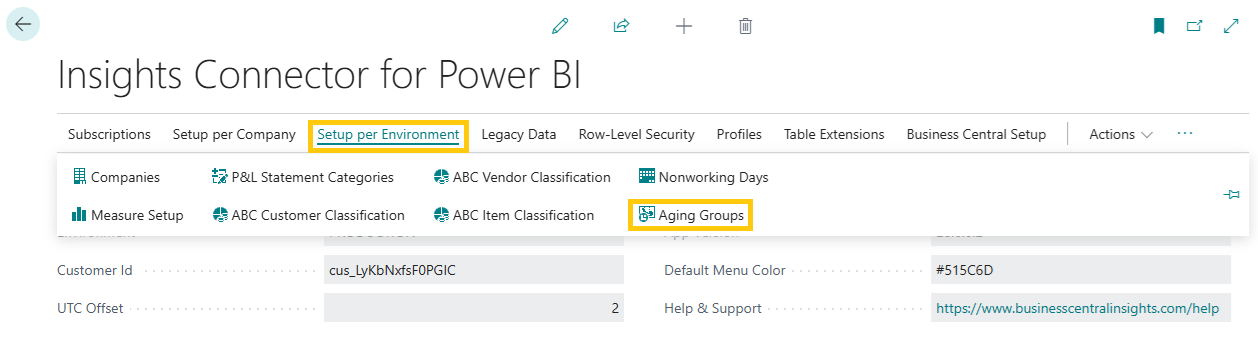
Select Setup per Company > Aging Groups.
Each industry and company is different and has its own specific requirements. On the Aging Group screen, you will have the ability to adjust aging buckets and set custom lower and upper boundaries.
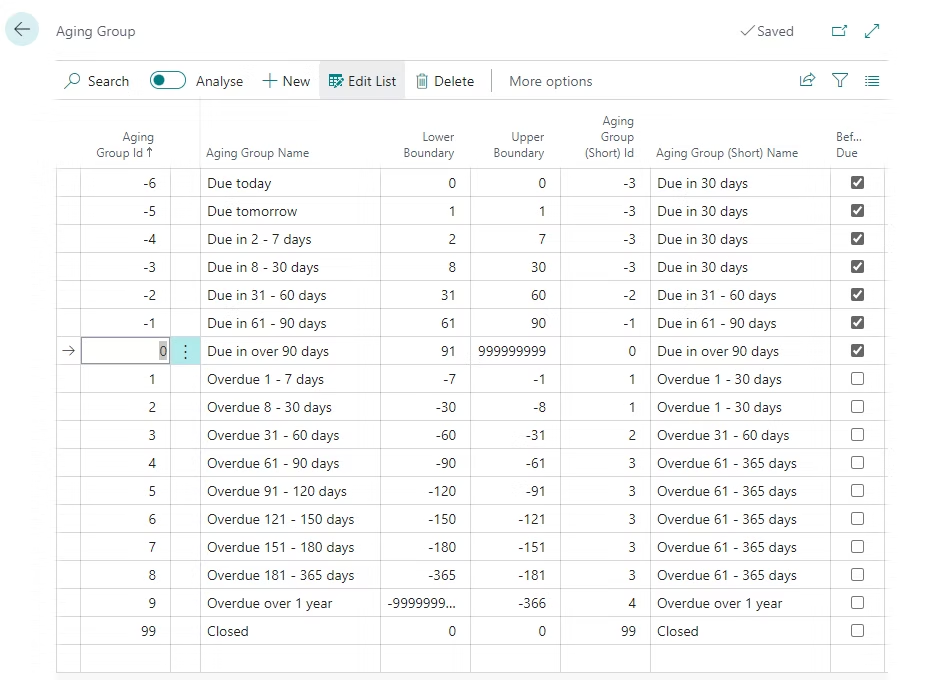 Aging Groups are available in our Accounts Receivable and Accounts Payable Insights apps.